A few years ago, convincing face swap video was the exclusive domain of Hollywood visual effects teams working with six-figure budgets and weeks of post-production. Today, the same result takes about 30 seconds and a browser tab. AI-powered face swap tools have matured rapidly, moving from novelty filters to genuinely useful production tools used by content creators, marketers, educators, and filmmakers. This guide breaks down exactly how AI face swap video works, what separates the good tools from the gimmicky ones, and which platforms are worth your time in 2026.
What Is an AI Face Swap Video?
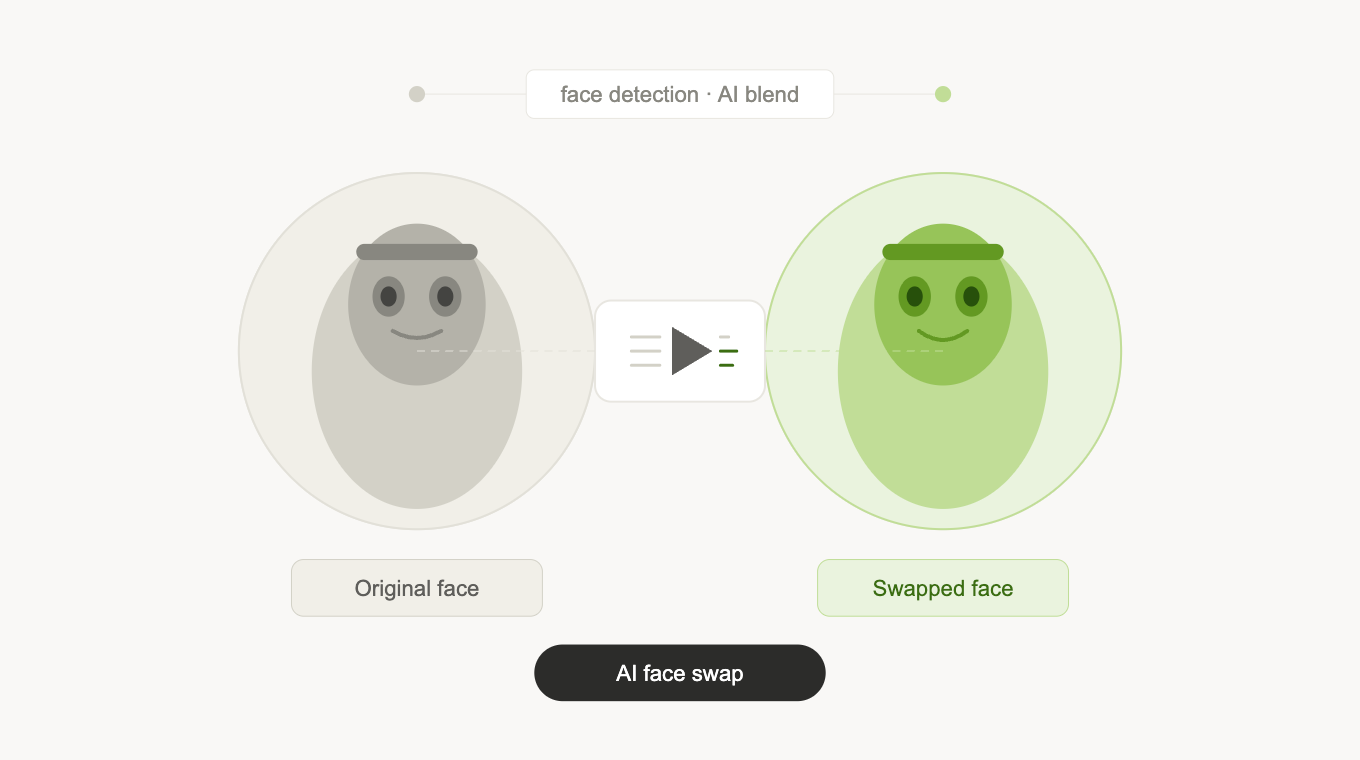
Face swap video is the process of replacing one person’s face in a video with another’s, maintaining the original body movements, expressions, and lighting while seamlessly grafting on a different facial identity. AI face swap takes this further by automating the entire detection, mapping, and blending process, which previously required frame-by-frame manual compositing in tools like After Effects.
Modern AI face swap video tools can handle real-time swapping in live video, batch processing of uploaded footage, and even single-image-to-video swaps where one reference photo is all the system needs to believably replace a face across an entire clip. The output quality has improved to the point where the seams are invisible to casual viewers in most use cases.
How Does AI Face Swap Video Work?
The mechanics behind AI face swap are built on several layered computer vision techniques working in sequence. Understanding the process helps explain why some tools produce photorealistic output while others still look obviously artificial.
Face Detection and Landmark Mapping
The first step is identifying faces in both the source (the face being placed) and target (the video being modified) footage. Modern models use facial landmark detection to map 68 to 478 key points across each face, eyes, nose, mouth corners, jawline, brow line, creating a precise geometric mesh that defines the face’s structure and orientation in three-dimensional space.
Feature Extraction and Identity Encoding
Once landmarks are mapped, a deep neural network extracts the identity features of the source face, the specific combination of geometry and texture that makes one face distinguishable from another. This identity vector is what gets transplanted onto the target face, rather than simply overlaying a static image. This is why modern face swaps maintain natural expression changes, head rotations, and lighting responses.
Face Generation and Blending
The extracted identity is then rendered onto the target face using a generative model, typically a GAN or diffusion-based architecture, which synthesizes what the source face would look like with the target’s expression, pose, and lighting conditions. A blending algorithm then composites the generated face back onto the video frame, matching skin tone at the boundary edges, handling hair occlusion, and maintaining temporal consistency so the swap doesn’t flicker.
Post-Processing and Enhancement
High-quality tools add a final enhancement pass, sharpening facial details, correcting color temperature mismatches between source and target, and upscaling output resolution where needed. This step is what separates tools that produce broadcast-quality output from those that produce obviously AI-generated results.
What to Look for in an AI Face Swap Video Tool
Not all face swap tools are built to the same standard. Before committing to a platform, evaluate it across these dimensions:
- Output realism: Does the swap hold up under scrutiny? Look for natural skin blending, accurate lighting, and consistent identity across fast head movements.
- Processing speed: Cloud-based tools vary significantly. Some process a 60-second clip in under a minute; others take 10+ minutes for the same task.
- Single-image source support: The best tools only need one reference photo to perform a full video swap. Tools requiring video-format source material are far more limiting.
- Watermark policy: Many free-tier tools watermark output. Confirm the plan you’re on removes watermarks entirely for professional or commercial use.
- Ethical safeguards: Reputable tools include consent verification and content moderation to prevent misuse. This also protects you legally.
Best AI Face Swap Video Tools to Try in 2026
1. Invideo, Best for Full Production Workflow
Invideo AI face swap video is built directly into its video creation platform, making it the most practical option for creators who need face swap as part of a broader content production workflow rather than a standalone edit. You can swap faces on uploaded footage, apply the result to AI-generated video, add voiceover, edit scenes, and export a finished piece, all within the same interface, without exporting and reimporting between tools.
- Single-image source support, one reference photo is enough for a full video swap
- Integrated scripting, voiceover, editing, and export in one platform
- No watermark on paid plans
- Available globally without regional restrictions
Pricing: Free tier available with watermark. Paid plans start at 8/month. Best for: content creators, marketing teams, and YouTubers producing video at scale.
2. Reface, Best Free Mobile Option
Reface is one of the most downloaded face swap apps globally, offering an accessible entry point for casual users who want to experiment with face swap video on their phone. The app uses a single selfie as the source and applies it to a library of pre-loaded video templates, GIFs, and memes. It’s fast and fun, though the template-based approach limits creative flexibility for professional use cases.
Pricing: Free with in-app purchases. Pro plan at approximately .99/month. Best for: casual users and quick social media content.
3. DeepSwap, Best for Bulk Video Processing
DeepSwap is a web-based face swap tool built for volume. It handles multi-face swaps in a single video, processes longer clips without the file-size limits that constrain many competitors, and maintains consistent output quality across different lighting conditions. It’s less integrated than invideo, output is a raw video file that needs to go back into an editing tool, but for pure swap quality at volume, it competes with the best options available.
Pricing: Monthly plans from .99. Best for: users who need high-volume face swap output and handle post-production separately.
4. Akool, Best for Enterprise and API Use
Akool positions itself at the professional and enterprise end of the face swap market. Its face swap engine is available via a web interface and API, making it a strong fit for teams that want to integrate face swap capability into their own applications or production pipelines. Output quality is among the highest available, with strong handling of edge cases like extreme head angles and partially occluded faces.
Pricing: Free tier with credits. Paid plans from 0/month. API pricing on request. Best for: agencies, development teams, and enterprise marketing operations.
5. Vidnoz, Best Free Online Option
For users who want to try AI face swap video online for free without signing up, Vidnoz is the most accessible entry point. It processes clips directly in the browser, requires no account for basic use, and produces reasonable output quality for short clips. The free tier is genuinely usable rather than a heavily restricted preview, making it a good starting point before committing to a paid platform.
Pricing: Free with daily usage limits. Paid plans available for higher volume. Best for: first-time users wanting to test face swap before committing to a platform.
Practical Use Cases for AI Face Swap Video
- Content localization: Brands producing video ads for multiple markets can swap presenter faces to feature local talent without reshooting, dramatically reducing production costs.
- Avatar-based content: Creators who prefer not to appear on camera can use a digital avatar with their own voice, maintaining a consistent on-screen identity across videos.
- Training and e-learning: Organizations updating training video libraries can replace outdated on-screen presenters without reshooting entire modules.
- Entertainment and social content: Placing yourself into movie scenes, music videos, or meme templates remains one of the most popular consumer applications.
- Indie film production: Independent filmmakers use face swap for continuity fixes, stunt double replacement, and de-aging effects that would otherwise require expensive VFX work.
Using AI Face Swap Responsibly
The same technology that makes face swap video genuinely useful also makes it genuinely misusable. Most reputable platforms have implemented consent verification, requiring users to confirm they have permission to use any face they upload, and content moderation systems that flag or block output involving public figures in harmful contexts.
The practical rule is straightforward: only swap faces with the explicit consent of the person whose likeness you’re using, and never create content designed to deceive, defame, or harm. Most jurisdictions are actively developing legislation around synthetic media, and platforms without clear consent mechanisms expose both themselves and their users to legal risk.
Final Thoughts
AI face swap video has crossed the threshold from experimental feature to production-ready tool. The underlying technology has matured to the point where output quality is largely determined by the platform’s investment in post-processing and enhancement rather than the core swap mechanism itself.
For creators who want face swap as part of a complete video production workflow, invideo remains the strongest option, combining swap quality with scripting, editing, and export in a single platform starting at 8/month. For casual users testing the technology, Vidnoz offers a no-commitment entry point. For enterprise teams needing API access and volume, Akool is the professional-grade choice.
Whichever tool you choose, the technology is capable enough that quality output is now a matter of choosing the right platform, not waiting for the technology to catch up.